Gribouille 0.3.0: Finer Guide Control and a Themed Compose
Gribouille 0.3.0 gives guides and axes a much finer on/off switch, lets compose() carry its own theme, and makes geom-area() stack by default. A long list of legend and annotation fixes rounds it out.
Another week, another Gribouille release. Gribouille 0.3.0 is narrower in scope than 0.2, but it brings some wanted controls. The headline is guide control: a single argument now hides axis ticks and legends without touching the theme. Alongside that, compose() gains a theme: parameter, defer() replaces plot(..., defer: true), geom-area() stacks by default, and annotate() can let marks overflow the panel.
NoteAt a glance
Gribouille 0.3.0 on Typst Universe: #import "@preview/gribouille:0.3.0": *.
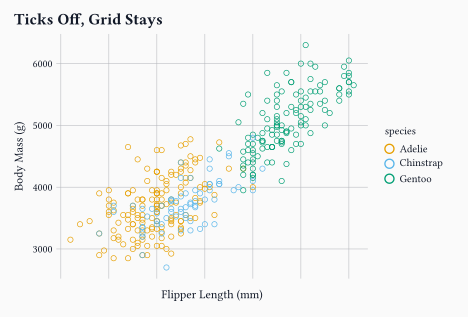
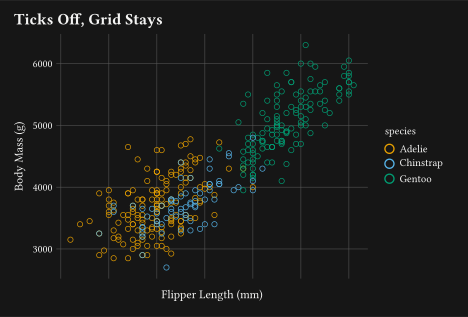
guides(x: none) / guides(y: none) hide tick marks and tick labels; the axis line, grid, and title stay. Remove the title separately with labs(x: none).
Under coord-radial, guides(theta: none) hides the full angular axis and guides(r: none) hides radial tick labels.
guides(none) replaces the removed guide-none(); guides(auto) restores the default.
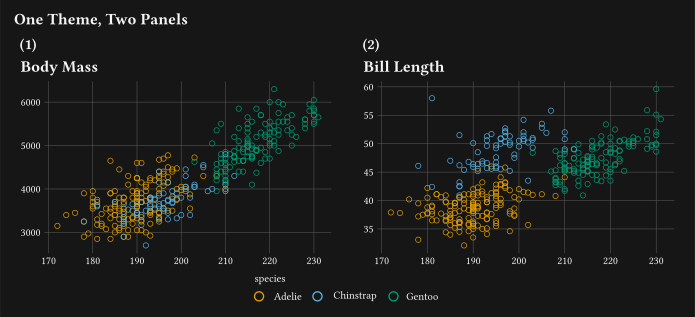
compose() gains theme:, which styles the composition chrome and propagates into panels with no theme of their own.
Breaking change: plot(..., defer: true) is replaced by defer(plot, ...). Panels inside a compose() also no longer accept their own width/height.
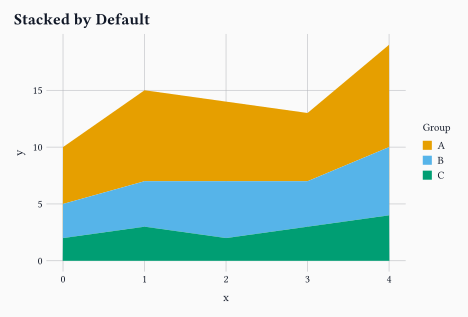
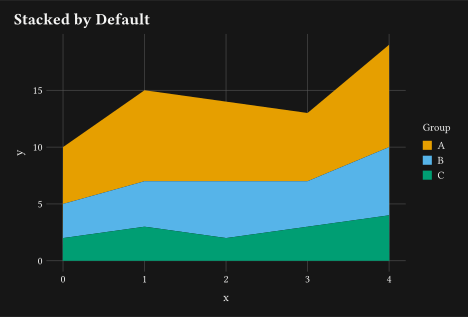
geom-area() defaults to stat: "align" and position: "stack"; groups with mismatched x values are resampled automatically.
annotate() gains clip: (default true); clip: false lets a mark overflow the panel.
Every figure in this post is a real, freshly compiled plot.
1 Guide controls
The biggest visible change is a new layer of control over what guides draw.
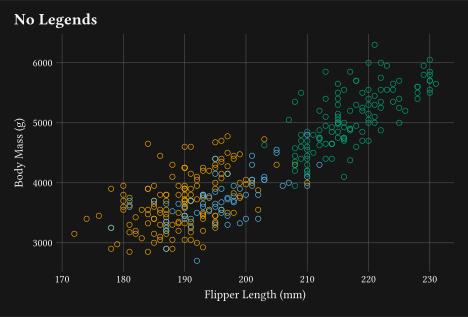
Before 0.3.0, hiding an axis’s tick marks and labels meant reaching into theme() for the right element surface. Now, guides(x: none) does it directly. The axis line, the vertical grid lines, and the axis title all stay. To drop the title too, add labs(x: none) alongside it.
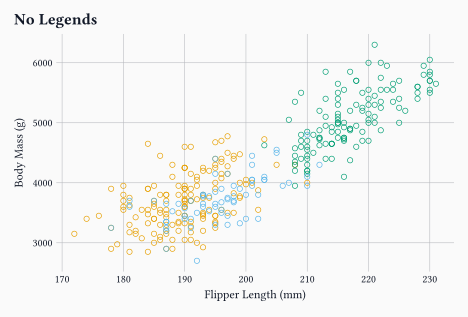
Every aesthetic without an explicit guide inherits none; the colour legend disappears and the plot area fills the freed space.
2 Radial guide controls
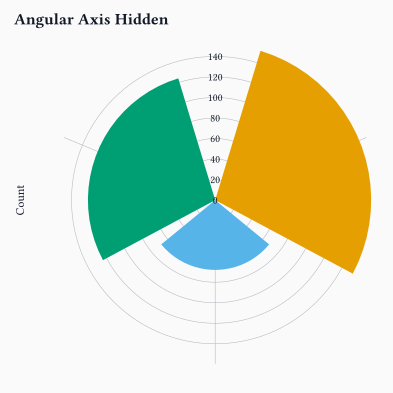
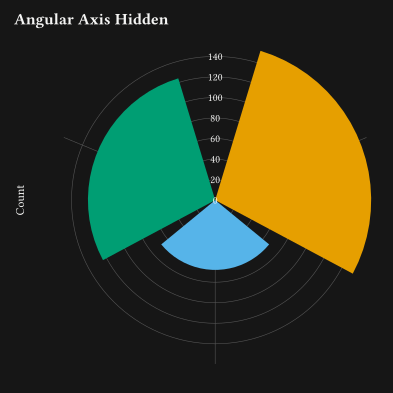
The same guide syntax extends to coord-radial. guides(theta: none) hides the full angular axis, the arc, minor ticks, and tick labels together. guides(r: none) hides only the radial tick labels, leaving the spokes and circles in place.
theta: none removes the angular ring and labels. default: none also drops the fill legend, leaving the radial grid as the only scale reference.
3 Compose gets a theme
Two changes landed in compose() together.
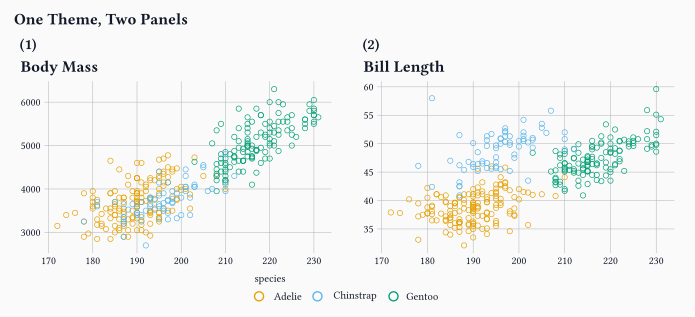
The first is a theme: parameter. Pass a theme and it styles the composition chrome: the shared title, the hoisted legend, and the panel tags. It also propagates into any panel that has no theme of its own, so you can set one theme once and let it cascade instead of repeating it across every panel.
The second is the defer() helper.
WarningBreaking change
plot(..., defer: true) is removed. Replace plot(data: ..., ..., defer: true) with defer(plot, data: ..., ...). Panels inside a compose() also no longer accept their own width/height; the composition sizes each cell.
defer(plot, ...) replaces plot(..., defer: true). The panel no longer sets width/height.
2
theme: theme-minimal() styles the title, legend, and tags, and propagates into both panels because neither sets its own theme.
4 Area stacks by default
geom-area() now defaults to stat: "align" and position: "stack".
Before 0.3.0, stacking a multi-group area chart needed both arguments spelled out. Now they are the defaults. stat: "align" also handles groups that have different x values: it resamples each group onto a shared grid before stacking, so the x values do not need to match.
No stat: or position: needed. Groups A, B, and C have different x breakpoints; stat: "align" resamples them onto a shared grid before stacking.
5 Annotations can overflow
annotate() gains a clip argument. The default is true, which preserves the existing behaviour: marks outside the panel are clipped. Set clip: false and the mark is drawn even if it sits past the axis limits.
This is useful for corner insets, labels anchored outside the data range, or decorations that belong in the margin. A paired fix means an annotate(clip: false) placed outside the scale limits now draws correctly. Before 0.3.0, the out-of-range pre-pass silently dropped it.
#plot( data: penguins, mapping: aes(x:"flipper-len", y:"body-mass"), layers:( geom-point(size:2pt, alpha:0.6), annotate( geom-text(label:"← past the edge"), x:235, y:5000,1 clip:false,),), labs: labs( title:"Annotation Outside the Panel", x:"Flipper Length (mm)", y:"Body Mass (g)",), theme: theme-minimal(), width:12cm, height:8cm,)
1
clip: false keeps the mark visible even though x = 235 sits past the panel boundary.
6 Legend and Scale Fixes
As with 0.2, a large share of the release is fixes rather than features. Legend layout was the main focus.
Horizontal legends with centred or right align now centre or right-justify the key graphic under the title, instead of leaving it pinned to the left while the title moved.
guide-legend(nrow:) and guide-legend(ncolumn:) now work for continuous size legends, laying keys out in a grid as they do for discrete swatch legends.
guide-legend(align:) now aligns the legend title as well as the entry labels. Passing a plain string such as "left" also reports a clear error instead of being silently ignored.
legend-background now inherits the base rect element, so theme(rect: ...) cascades to it as it does for every other *-background surface.
A hoisted compose() legend that leaves no room for the panels, or a left/right legend that would overrun the caption, now reports a clear layout error instead of silently overprinting.
A second group cleans up statistics and scale behaviour.
stat-bin-2d and stat-bin-hex_density is now the cell’s fraction of the total count, matching ggplot2, instead of an undocumented count-per-cell-area value.
sqrt and log10 transforms validate their domain and report clear errors for out-of-range data. The sqrt inverse also clamps padded view bounds at zero so the axis stays monotone and shows the 0 break.
The out-of-range filter now respects scale expand, so points and annotations inside the expansion headroom are kept. Reversed limits (a flipped axis) no longer drop every row.
geom-linerange() honours its alpha parameter, which was always documented but never applied.
Most of the legend fixes are invisible at a glance: existing plots look the same, but the cases that used to produce overlapping keys, misaligned titles, or silent layout glitches now behave correctly.
7 Editor support: Tinymist docstrings
The published package now ships Tinymist-friendly docstrings. Hovering over a gribouille function in a compatible editor shows formatted parameters, return values, and examples, instead of the raw @-tag comments. Variadic sinks such as guides() and theme() list their accepted keys explicitly, so you can see which aesthetics or element surfaces each function takes without opening the reference.
8 Wrap-up
Guide control moved one level up: hide ticks and legends with one argument, no theme surgery needed.
Next on the list is more geoms and worked examples. If you run into something unexpected, the issue tracker is the right place for it.
Gribouille is an unfunded spare-time project, and the API is still settling. Bug reports and ideas are very welcome on the issue tracker. Pull requests are not being accepted for now, for the reasons set out in the launch post. Thanks in advance for your patience.