I maintain more than forty Quarto extensions. For a long time, a single template.qmd or example.qmd was all the documentation each of them had. This post shows how I gave every one of them a proper documentation website, without having to maintain the styling of forty websites.
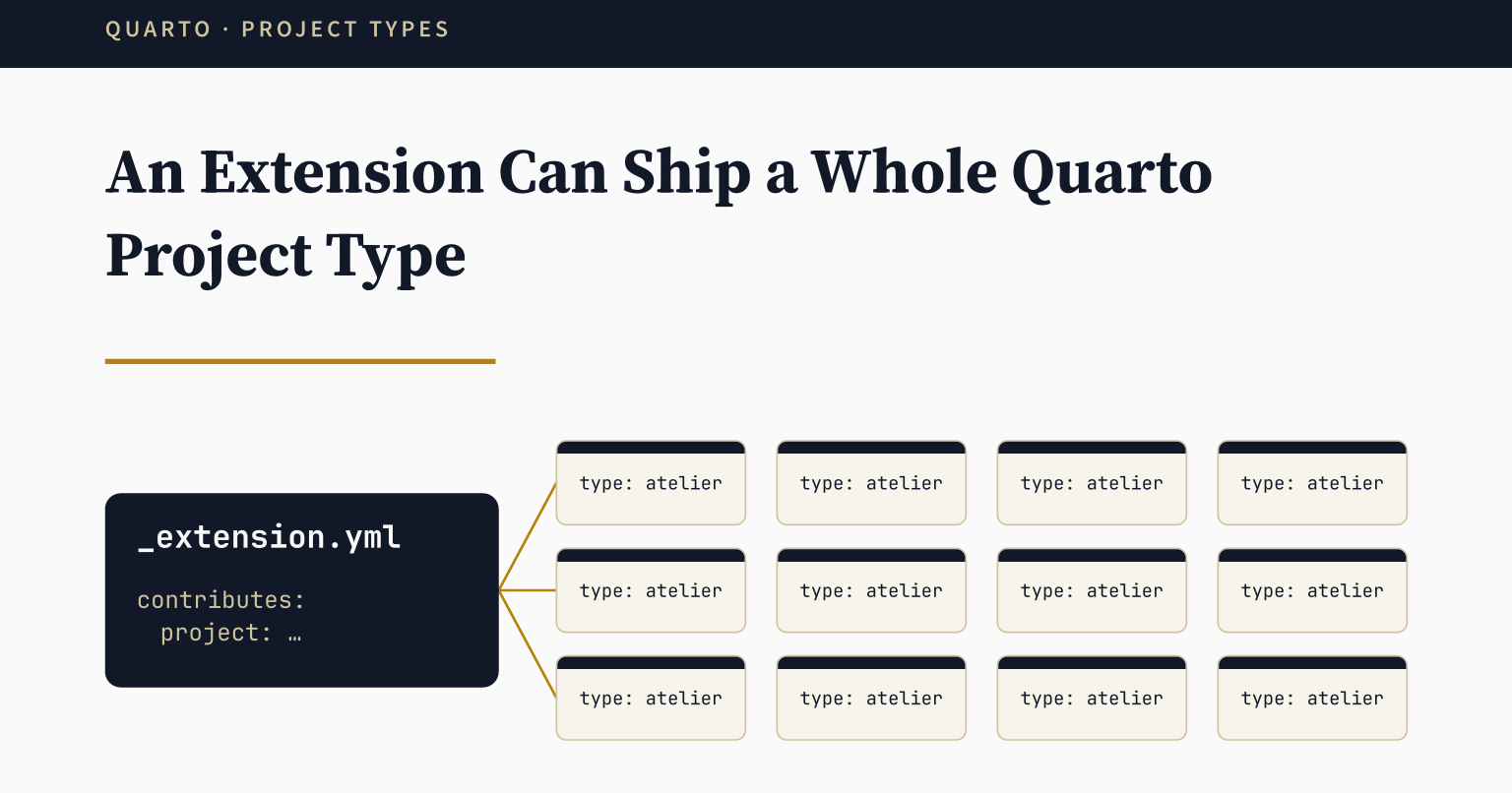
Extension Documentation
A Quarto extension usually comes with a template.qmd or an example.qmd. It shows the extension at work, and for years it was the only documentation mine had. But it is one document. The usage, the options, and the examples all end up on the same long page.
So I decided to give each extension a proper documentation website. The pages were not the problem, since each extension needs its own content anyway. The styling and the chrome were. A good Quarto website needs a navbar, a footer, a theme, edit and issue links, Open Graph and Twitter card tags, search, and some accessibility fixes. That is close to a hundred lines of YAML, plus a few style sheets and HTML files, before the first page. I did not want to keep forty copies of that in step by hand.
The atelier Project Type
Most Quarto extensions contribute a filter, a shortcode, or a format. An extension can also contribute a project type1. It inherits from one of the base types (default, website, or book), and it sets the default values for _quarto.yml.
quarto-atelier is such an extension. I made it for the documentation websites of my extensions, so the styling and the chrome live in one place instead of forty. Its project type is called atelier, and it is a website underneath. A site that uses it writes very little:
_quarto.yml
project:
  type: atelier

website:
  title: "My Extension"
  site-url: https://example.org/my-extension
  repo-url: https://github.com/example/my-extension
  navbar:
    left:
      - href: index.qmd
        text: Home
The title, the URLs, and the navbar items belong to the site. Everything else comes from the extension.
Inherited Configuration
From those few lines, the site inherits:
_siteas the output directory, and edit and issue links to the repository.- Open Graph and Twitter card tags, with
en_GBas the locale and a large image card. - Page navigation, a back to top link, a table of contents, and copy buttons on code blocks.
- An
llms.txtfile, and a search overlay in the navbar. - A footer, and a theme that reads the site’s
_brand.ymlfor its colours in light and dark mode. - A filter that adds the
og:typeandog:urltags, which Quarto leaves out. - Six small HTML scripts, among them a skip link and a few accessibility fixes.
Here are two of those sites: the documentation of quarto-atelier itself, and the one of quarto-typst-render. They share the same layout, sidebar, table of contents, and repository links. The colours differ, because each site has its own _brand.yml.
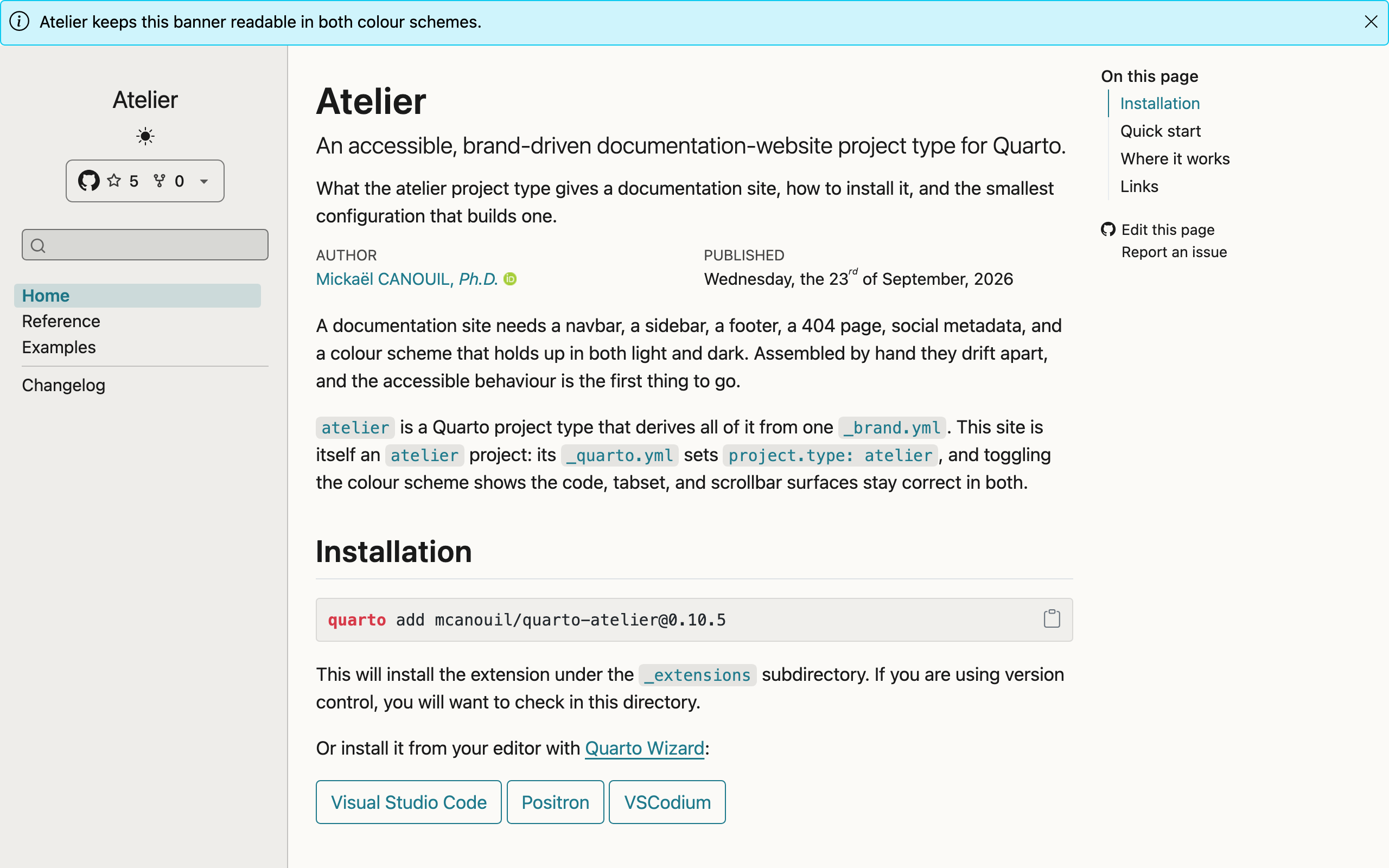
quarto-atelier documentation.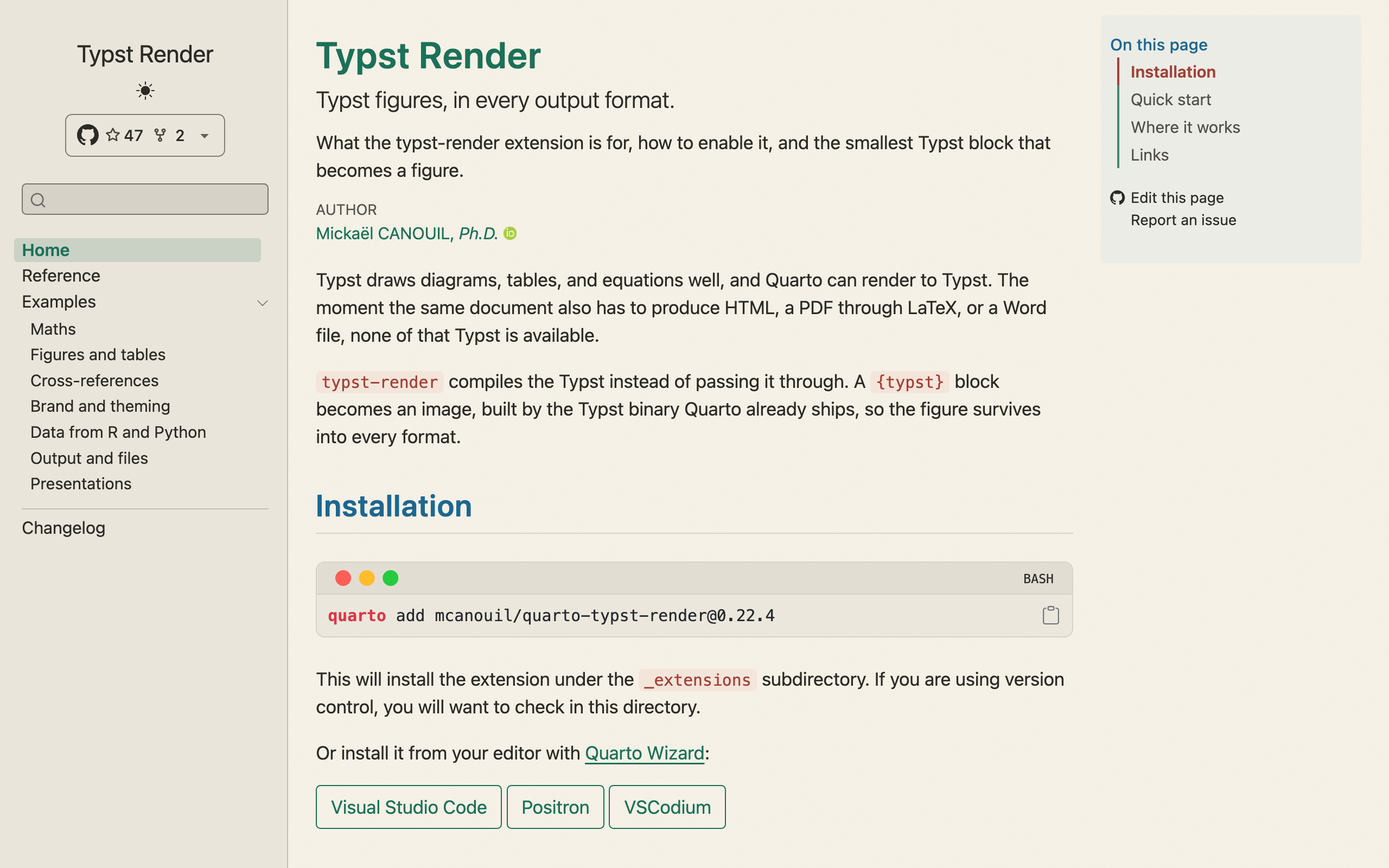
quarto-typst-render documentation.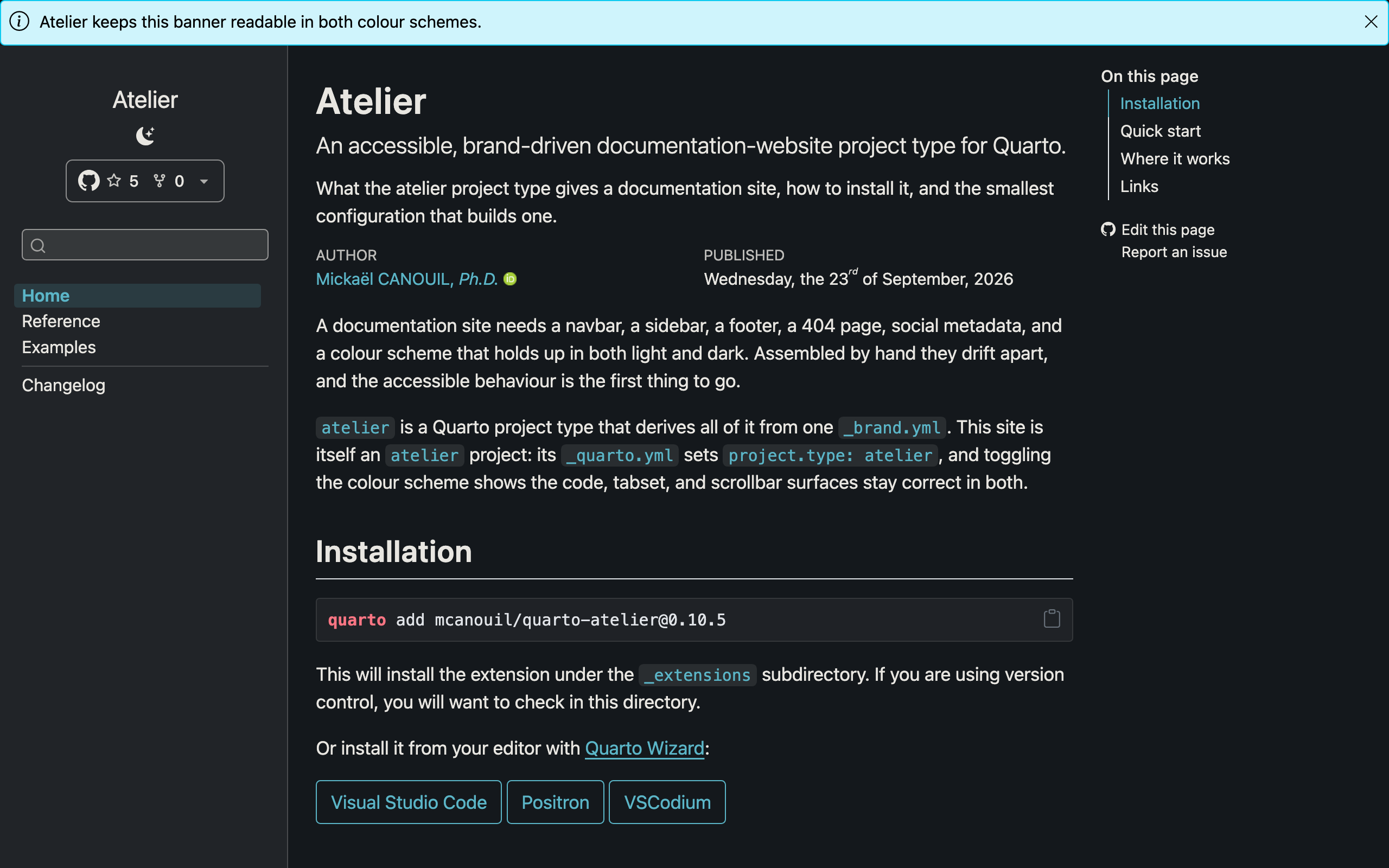
quarto-atelier documentation.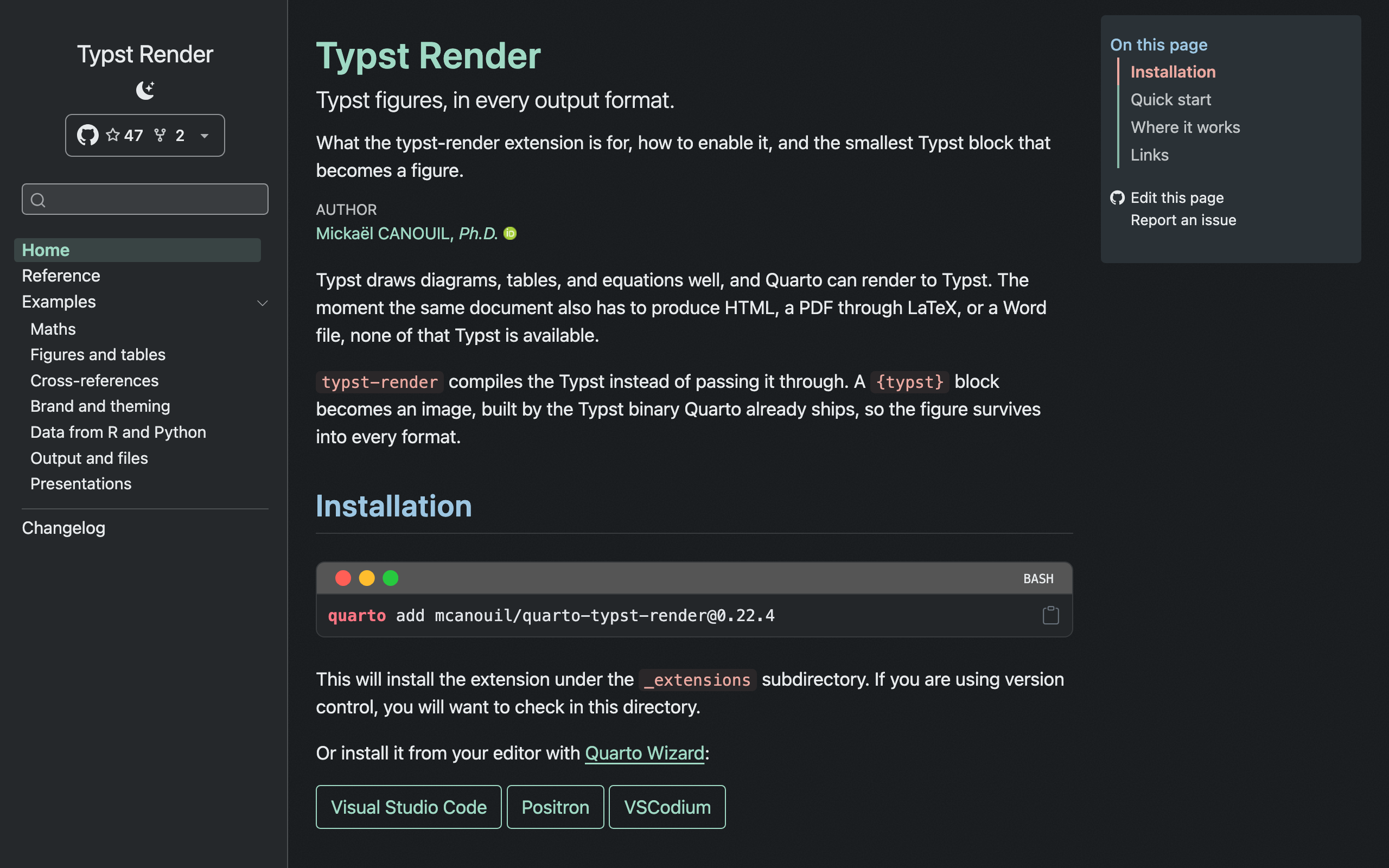
quarto-typst-render documentation.I checked this on a test site with only the lines above. The rendered page had the og:locale, og:type, and twitter:card tags, the skip link, and the edit and issue links beside the table of contents. The _site folder had an llms.txt next to the pages.
One tag needs one more key. Quarto does not pass the website block to filters, so the filter cannot read site-url there. For og:url, the site repeats its URL under the extension name:
_quarto.yml
extensions:
  atelier:
    site-url: https://example.org/my-extension
One release, every site: when I change a default in quarto-atelier, every site gets it at its next extension update.
Each site keeps its own copy of the extension under _extensions/, so the update is not instant. In each repository, a scheduled GitHub Actions workflow runs Quarto Extensions Updater once a month, the action I wrote about in an earlier post. It compares the installed extensions with the Quarto extensions registry, using the same core library as Quarto Wizard. When quarto-atelier has a new release, it opens a pull request with the release notes, so every update is a change I can review before it lands.
Overriding the Defaults
The site can still change any inherited value. Quarto merges the defaults of the project type with the site’s _quarto.yml, and the site wins.
For example, atelier puts the search in the navbar as an overlay. The documentation site of quarto-badge has no navbar, only a sidebar. So it moves the search there:
_quarto.yml
website:
  search:
    location: sidebar
    type: textbox
The merge works key by key. On my test site, I replaced only the centre of the footer. The left part of the footer, which I did not touch, stayed as atelier set it.
Limitations
There are two limits to keep in mind.
First, lists are added together, not replaced. If a site adds its own script to include-after-body, it gets that script and the five from atelier. A site cannot remove one inherited script or filter. If a site needs that, the default does not belong in the shared project type.
Then, every site moves with the extension. That is the point, but it also means a bad default reaches all of them. The monthly pull requests are the safety net, because each site takes the change through its own review.
Your Own Project Type
atelier carries my own choices, from the locale to the footer. It is built for my sites, not for yours. But if you maintain several Quarto websites, I encourage you to write a project type of your own, under your own name.
atelier can serve as a starting point. The contributes: block in its _extension.yml holds the project type and the HTML format it uses, and the rest of the folder holds the files they point to. The source is on
To try it, or to read it inside a project of your own, install it with Quarto:
quarto add mcanouil/quarto-atelierIt needs Quarto 1.9.36 or later. Or install it from your editor with Quarto Wizard:
Happy publishing!
Footnotes
See the Quarto documentation on Project Types.↩︎
Reuse
Citation
@misc{canouil2026,
  author = {CANOUIL, Mickaël},
  title = {An {Extension} {Can} {Ship} a {Whole} {Quarto} {Project}
    {Type}},
  date = {2026-10-05},
  url = {https://mickael.canouil.fr/posts/2026-10-05-quarto-atelier-project-type/},
  langid = {en-GB}
}