1 Introduction
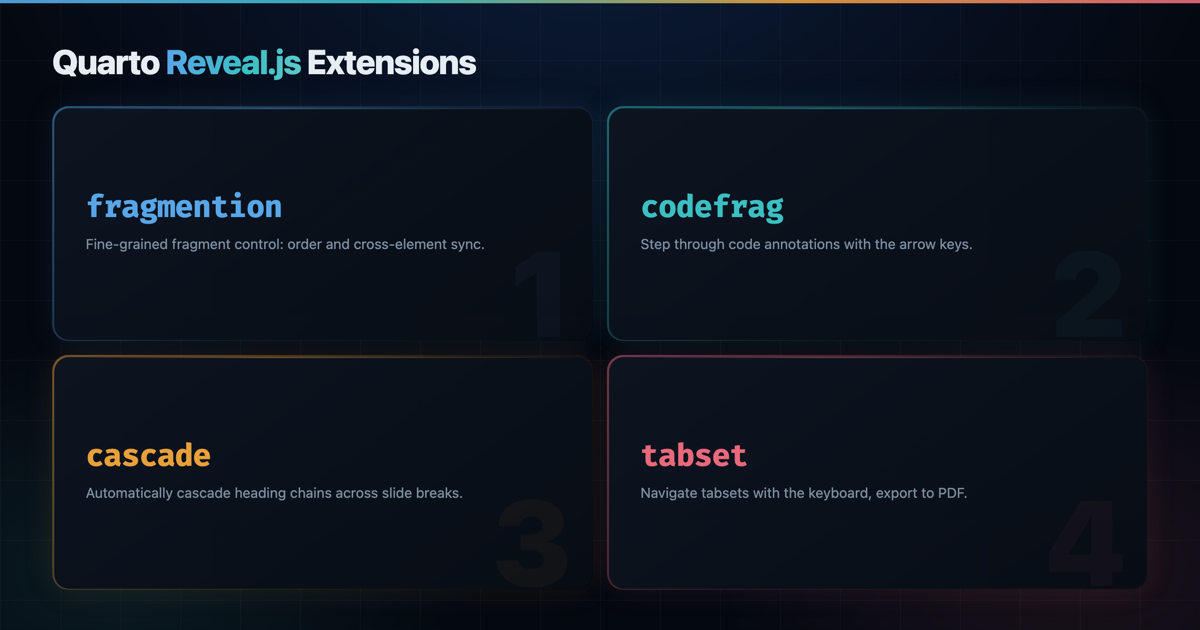
Reveal.js is a flexible slide engine, but a few rough edges show up again and again when writing slides in Quarto. List fragments need a marker on every item, code annotations stay static, long talks repeat the same heading on continuation slides, and tabsets need a mouse click to advance. Each of the four small extensions below closes one of those gaps, and they compose cleanly on a single slidedeck.
Every section installs one extension, shows the minimal front-matter and body needed to activate it, and embeds a focused slidedeck you can step through with the arrow keys.
quarto-revealjs-fragmentionhoists.fragmentmarkers onto list items.quarto-revealjs-codefragturns code annotations into navigable fragments.quarto-revealjs-cascaderepeats heading chains after slide breaks.quarto-revealjs-tabsetmakes.panel-tabsetblocks keyboard and PDF friendly.
2 Fragmention
quarto-revealjs-fragmention lets you animate a whole list item as a single fragment. You place an empty span with the .fragment class (and optional fragment-index) at the start of the item, and the filter hoists those attributes onto the parent <li>, so there is no stray marker left in the rendered slide.
2.1 Install
quarto add mcanouil/quarto-revealjs-fragmention2.2 Activate in the front-matter
filters:
  - fragmention
2.3 Mark up your list
## A staged list

- []{.fragment fragment-index="1"} Load the data from disk.
- []{.fragment fragment-index="2"} Clean and validate the inputs.
- []{.fragment fragment-index="3"} Fit the model.
- []{.fragment fragment-index="4"} Report the results.

## Mixed fragments

- []{.fragment .fade-in-then-semi-out fragment-index="1"} Step one fades in, then dims.
- []{.fragment .highlight-red fragment-index="2"} Step two highlights in red.
- A static bullet always visible.
- []{.fragment .grow fragment-index="3"} Step three grows for emphasis.
2.4 Live demo
3 Codefrag
quarto-revealjs-codefrag pairs naturally with Quarto’s code-annotations: select mode. Each # <n> marker becomes a Reveal.js fragment, so the matching annotation appears step by step as you press the arrow keys, and the tooltip stays in sync with the current annotation.
3.1 Install
quarto add mcanouil/quarto-revealjs-codefrag3.2 Activate in the front-matter
revealjs-plugins:
  - codefrag
3.3 Annotate your code
## Step through an R pipeline

```{.r code-line-numbers="|1|2-3|4-5|6"}
library(dplyr)                          # <1>
mtcars |>
  filter(cyl == 6) |>                   # <2>
  group_by(gear) |>
  summarise(mean_mpg = mean(mpg)) |>    # <3>
  arrange(desc(mean_mpg))               # <4>
```

1. Load the `dplyr` package.
2. Keep only six-cylinder cars.
3. Compute the mean mileage per gear.
4. Sort the resulting table.
3.4 Live demo
4 Cascade
quarto-revealjs-cascade repeats the current heading chain whenever a --- slide break creates a continuation slide. You keep one section heading (and optional subsection) at the top of a topic, then use --- to start fresh slides without retyping the title.
4.1 Install
quarto add mcanouil/quarto-revealjs-cascade4.2 Activate in the front-matter
filters:
  - cascade
4.3 Chain your headings
# Cascade demo

## Results

### Experiment A

- Baseline accuracy: 0.82.
- Calibration error: 0.04.

---

- Recall improves with larger batches.
- Precision plateaus after 10 epochs.

---

### Experiment B

- Baseline accuracy: 0.87.
- Calibration error: 0.03.

---

- Results replicate across three seeds.
- No regression on the held-out split.
4.4 Live demo
5 Tabset
quarto-revealjs-tabset turns a .panel-tabset block into a keyboard-driven tabset. Each tab becomes a Reveal.js fragment, so the arrow keys cycle through them, and PDF export lays every tab out on its own page instead of collapsing them to the active one.
5.1 Install
quarto add mcanouil/quarto-revealjs-tabset5.2 Activate in the front-matter
revealjs-plugins:
  - tabset
5.3 Wrap your tabs
## Dataset overview {.smaller}

::: {.panel-tabset}

### Description

- 1,000 records collected in 2025.
- Three outcome labels, balanced across classes.

### Summary

| Feature | Min | Median | Max |
|---------|----:|-------:|----:|
| Age     |  18 |     42 |  91 |
| Score   |   0 |     57 | 100 |

### Notes

- Missing values imputed with the column median.
- Duplicates removed before splitting.

:::
5.4 Live demo
6 All four together
The four extensions compose without fuss on a single slidedeck. You declare the two filters, the two plugins, and code-annotations: select, then use each feature where it fits the story.
filters:
  - fragmention
  - cascade
revealjs-plugins:
  - codefrag
  - tabset
7 Wrap-up
Each extension is small, focused, and targets a friction point rather than a whole workflow. Install the ones you need, keep the rest out of your front-matter, and your next slidedeck can lean a little more on the keyboard and a little less on the mouse.
Repositories for the curious:
Reuse
Citation
@misc{canouil2026,
  author = {CANOUIL, Mickaël},
  title = {Quarto {Reveal.js} {Extensions} to {Sharpen} {Your} {Slides}},
  date = {2026-04-21},
  url = {https://mickael.canouil.fr/posts/2026-04-21-quarto-revealjs-extensions/},
  langid = {en-GB}
}