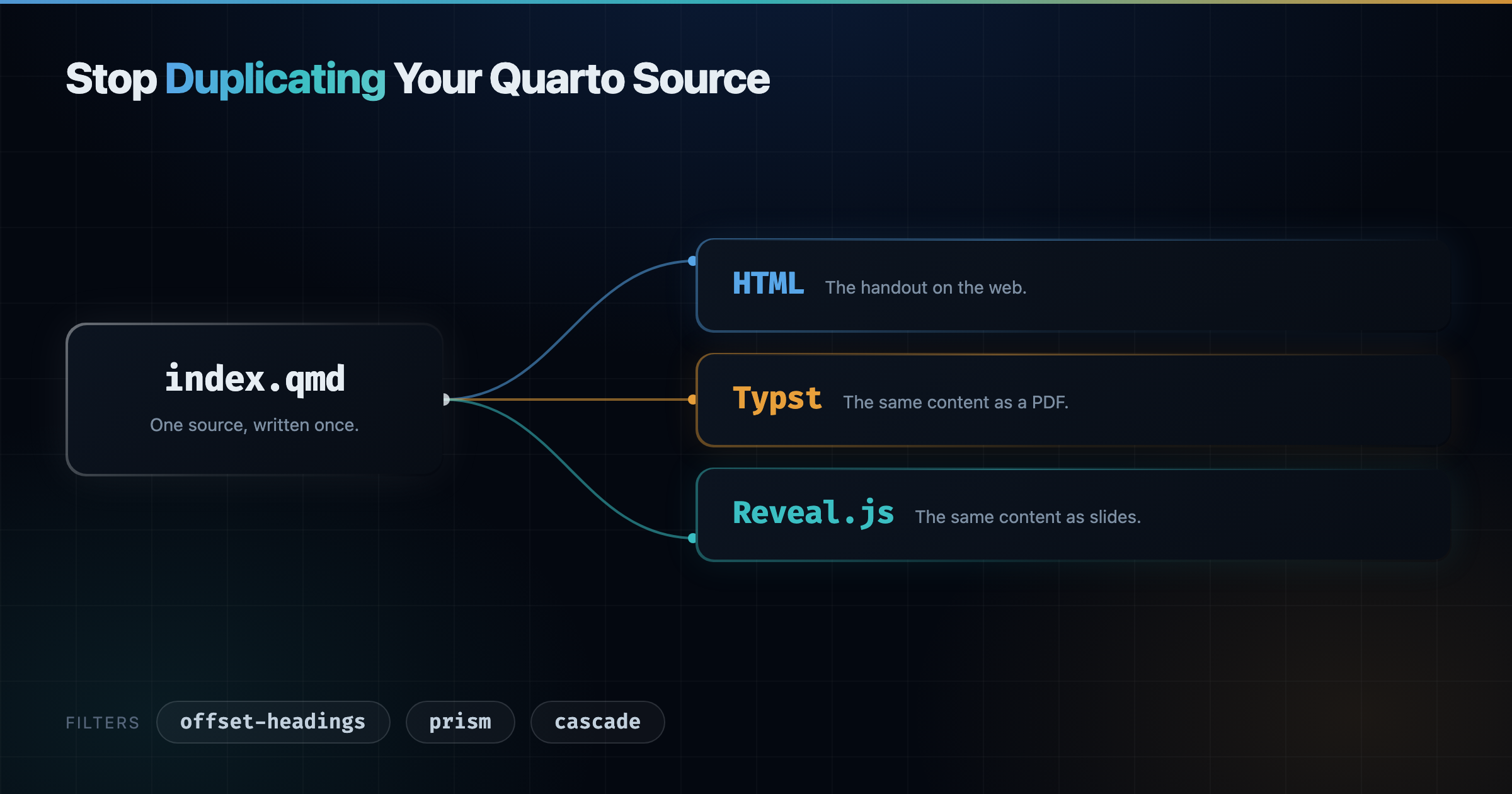
One Quarto source can produce a web page, a PDF, and a slide deck. The trouble starts when the three outputs need slightly different things, and the usual fix is to write the same content twice.
1 The Problem
I write training material as one index.qmd per module. Each module produces a handout, an exercise booklet, and a slide deck, in HTML, in PDF through Typst, and in reveal.js. The prose is the same in all of them, so the source has to be the same too.
Three things get in the way.
First, heading levels do not mean the same thing in each format. A ## is a section in the handout and a slide in the deck, and Typst shifts the levels on its own when the document has no level-1 heading.
Then, some attributes only make sense in one format. A table that fits the page is too tall on a slide, so it needs a smaller font there and nowhere else.
Finally, a slide break has no meaning outside the deck. A --- splits a slide in reveal.js, but the continuation slide loses its heading, and the rule itself has nothing to do in the HTML or the PDF.
The usual answer is content-visible when-format="...", which means writing the block once per format. That is exactly the duplication I wanted to avoid.
offset-headings(0.4.0) shifts heading levels, per document or per heading.prism(0.4.1) attaches an attribute to one format only.cascade(1.0.0) repeats the heading chain after a---slide break.
2 Installing Them
I manage my extensions with Quarto Wizard, an extension for Visual Studio Code, Positron, and VSCodium. It browses the Quarto Extensions listing, installs an extension into your project, and tells you when one you already have has a newer release. That last part is why I recommend it over the command line: quarto add installs an extension, but nothing then keeps track of what you have and what has moved on.
The buttons below open your editor and ask Quarto Wizard to install the extension into the current project.
offset-headings Visual Studio Code Positron VSCodium
cascade Visual Studio Code Positron VSCodium
The same three extensions from the command line, if you prefer it:
quarto add mcanouil/quarto-offset-headings
quarto add mcanouil/quarto-prism
quarto add mcanouil/quarto-revealjs-cascade
Each section below then shows the filters: entry that turns the extension on.
3 Heading Levels
Pandoc already has shift-heading-level-by, and Quarto exposes it. But it runs as a final pass, after every Lua filter has finished. No filter can see the shifted levels, and the value applies to the whole document, so you cannot move a single heading.
offset-headings does the same job as a filter instead.
filters:
  - offset-headings
You can shift every heading at once:
extensions:
  offset-headings:
    by: 1
Or one heading, with an attribute:
## Section {offset-headings-by="-1"}The offset flows down to the nested headings by default, so a whole branch moves together. offset-headings-depth bounds how far it flows, offset-headings-max-level caps the level it can reach, and offset-headings-recursive="false" keeps the offset on the attributed heading alone. The document offset and the per-heading offset always add up, and the result is clamped to [1, 6].
Quarto sets shift-heading-level-by: -1 on its own when a document has no level-1 heading: always for Typst, and for PDF when number-sections is on and top-level-division is not set. That pass lands after the filter, so your Typst headings end up one level shallower than in HTML, and anything left at level 1 is destroyed. A Lua filter cannot read or cancel it, so set it explicitly instead:
shift-heading-level-by: 0Quarto skips its automatic shift as soon as the key is set, whatever the value. The filter cannot tell that you have done it, so silence its warning with quarto-shift-warning: false.
4 Format-Specific Attributes
prism reads attributes keyed by format, and keeps the ones that match the format being rendered.
filters:
  - prism
Each key is written format:name="value". When the format matches, the attribute is re-emitted as name="value"; otherwise it is dropped. Classes and identifiers are left alone, and unprefixed attributes pass through.
::: {revealjs:style="font-size: 2em;" html:style="font-size: 1.2rem;"}
Same paragraph, two sizes.
:::
It works on divs, spans, code blocks, and headings. The format name is matched exactly against the Quarto target format, which includes custom formats. Under a custom mcanouil-typst format, only mcanouil-typst: matches, not typst:. The built-in PDF format is targeted with pdf:, since that is the format name Quarto requests, not the writer it happens to use underneath.
Two prefixes save repetition. slide: covers every HTML slide format, and default: provides a fallback used only when nothing more specific matched.
::: {default:style="color: gray;" html:style="color: crimson;"}
Crimson in HTML, gray everywhere else.
:::
The order is exact format, then group alias, then default:, then the unprefixed value.
A dropped attribute is silent by design, since a future format with that name would pick it up. That also hides a typo such as revaeljs:style, so turn the warning on while you write:
extensions:
  prism:
    warn-on-drop: true
5 Slide Breaks
cascade repeats the current heading chain whenever a --- starts a continuation slide.
filters:
  - cascade
You write the heading once and split as often as you need. The rule is removed from the non-reveal.js formats, so the same source still reads as continuous prose in the handout and the PDF. Set keep-hrule: true if you want the rule kept there.
.no-cascade on a heading keeps it off the continuation slides, depth limits how many levels of the chain are repeated, and cascade-depth overrides that depth for one chain. I covered the slide side of it in more detail in a previous post on reveal.js extensions.
6 Putting Them Together
The demo below is one demo.qmd rendered to the three formats, with nothing format-specific in the body other than attributes.
The project file declares the three filters and the three outputs.
_quarto.yml
filters:
  - prism
  - offset-headings
  - cascade

extensions:
  prism:
    warn-on-drop: true
  offset-headings:
    quarto-shift-warning: false
The order matters, and it is the order of the filters: list, since all three register at pre-ast. prism runs first, so the attributes it promotes are plain attributes by the time the others look at them. cascade runs last, so it sees the final heading levels when it builds the chain to repeat.
_quarto.yml
format:
  html:
    output-file: demo.html
    embed-resources: true
    toc: true
  typst:
    output-file: demo.pdf
    shift-heading-level-by: 0
  revealjs:
    output-file: demo-slides.html
    embed-resources: true
Both filters then meet on the same heading.
demo.qmd
## Reading a File {revealjs:offset-headings-by="-1" revealjs:offset-headings-depth="1"}

### From a CSV file
prism turns revealjs:offset-headings-by into offset-headings-by on the deck and drops it elsewhere. offset-headings then promotes the heading and its subsection by one level, so the section becomes a title slide and its subsections become slides. In the handout and the PDF, the same two headings stay at level 2 and level 3.
The code block shrinks on the deck only.
demo.qmd
```{.r revealjs:style="font-size: 0.7em;"}
penguins <- read.csv("penguins.csv")
str(penguins)
```
The --- splits the slide, and cascade puts ### From a CSV file back on top of the continuation.
demo.qmd
The `str()` call prints the structure of the object, so you can check the column types before going further.

---

Two arguments matter more than the others.

- `stringsAsFactors` controls whether character columns become factors.
- `na.strings` lists the values to read as missing.
The table gets a width in the HTML handout and a smaller font on the deck, from a single wrapper. Typst ignores max-width, so the PDF falls back to its own table sizing.
demo.qmd
::: {revealjs:style="font-size: 0.6em;" default:style="max-width: 40em;"}

| Function       | Separator | Decimal mark |
| -------------- | --------- | ------------ |
| `read.csv()`   | `,`       | `.`          |
| `read.csv2()`  | `;`       | `,`          |
| `read.delim()` | tab       | `.`          |

:::
Here are the three outputs, rendered from that one file.
The HTML handout, with the headings at their written levels and no slide break in sight.
The PDF, through Typst, with the same heading levels as the HTML.
The deck, with the promoted headings and the repeated heading on the continuation slide.
Open them full size: HTML, Typst PDF, Reveal.js.
The differences between formats become attributes, not copies of the content.
7 Gotchas
Three things caught me out while writing real modules with these filters.
- Quarto’s own conditional-content filter rewrites
.content-visibleand.content-hiddendivs and strips custom attributes from them, so aprismattribute placed on that fence disappears without a word (quarto-dev/quarto-cli#14289GitHub). Put it on an inner div instead. cascadedoes not hoist a---that sits inside a.panel-tabsetdiv, so a slide break there is left alone rather than split into a continuation slide.- The first child of a section heading should be a heading, not prose. Otherwise
cascadereads the slide level wrongly and repeats the wrong heading on the continuation slides.
8 Wrapping Up
Each of these filters started as an annoyance in a real document, and each one removed a block of duplicated content. Together they let one source stay one source.
Happy writing!
Reuse
Citation
@misc{canouil2026,
  author = {CANOUIL, Mickaël},
  title = {Stop {Duplicating} {Your} {Quarto} {Source}},
  date = {2026-07-24},
  url = {https://mickael.canouil.fr/posts/2026-07-24-quarto-stop-duplicating/},
  langid = {en-GB}
}